Monitoring System
Strise has rebuilt its monitoring system from the ground up to deliver greater accuracy, transparency, and reliability. The system gives compliance teams a unified overview of all alerts across their portfolio — making it easier to act on what matters and ignore what does not. It reached general availability in June 2026, and all teams have been migrated from the old monitoring.
Why We Built It
The previous monitoring system had accumulated complexity over time, leading to noisy alerts and limited visibility. The new system was designed with four goals:
- Reduce noise — Improved screening algorithms mean fewer false positives and more relevant alerts.
- Unified overview — A single monitoring space where your team can see, filter, and act on all alerts.
- Transparency — Every alert shows exactly what changed, why it was generated, and which data sources contributed.
- Audit trails — All actions (resolutions, dispositions, comments) are logged for compliance reporting.
Key Features
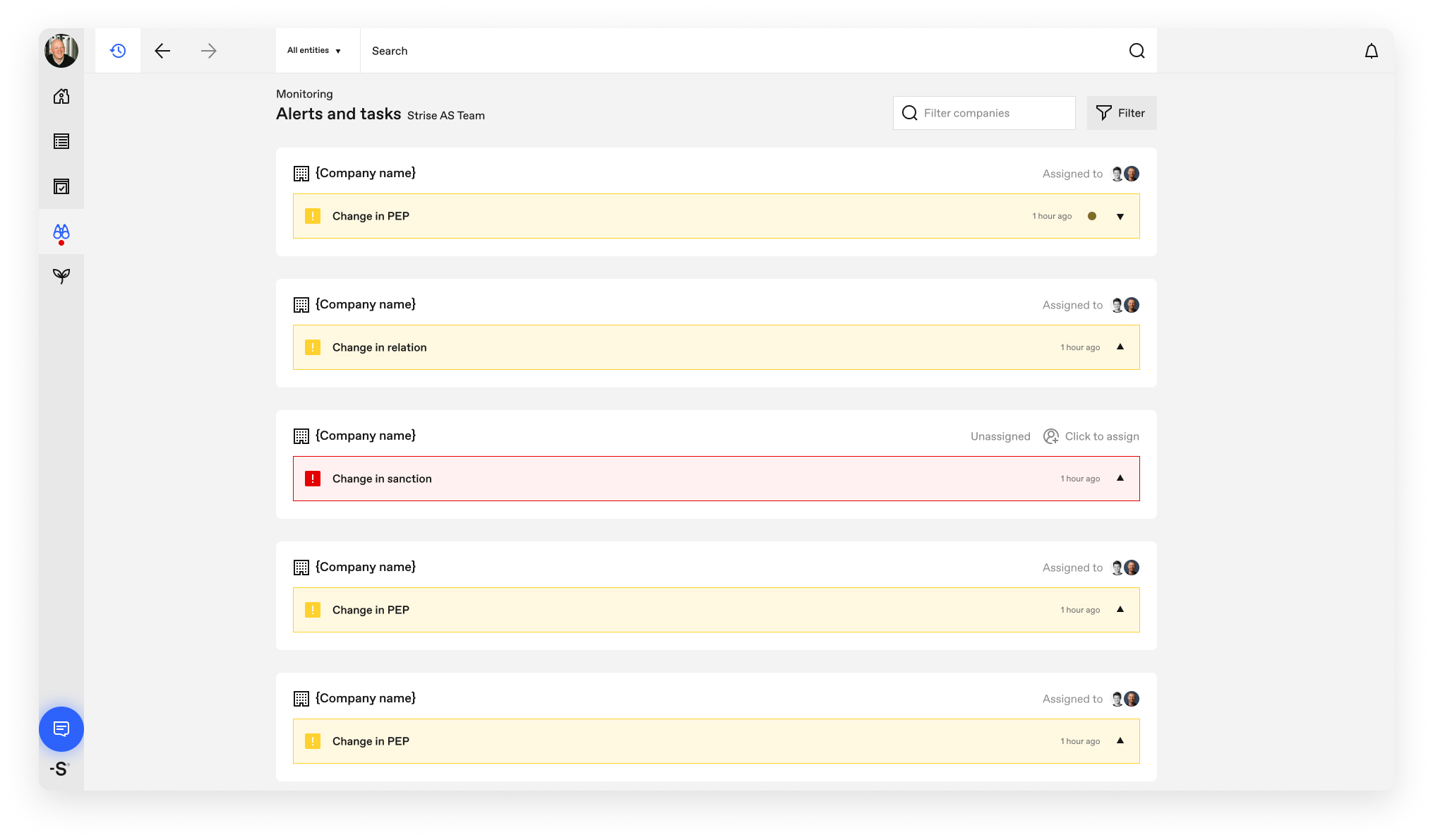
- Monitoring space — A dedicated view for managing all monitoring alerts across your portfolio.
- Team-wide alert list — All team members see the same alerts, with filtering and entity assignment.
- Four alert categories — PEP, Sanctions, Relations, and Company Information alerts, clearly separated.
- Detailed alert cards — Each alert includes full context: what changed, who is affected, and supporting evidence.
- Dispositioning in the alert — Confirm or dismiss PEP/sanctions hits directly from the alert card.
- Configurable per team — Alert settings control categories, thresholds, and email delivery.
- Private persons — Monitoring support for private persons, screened daily.
- API parity — The same alerts and the same resolve model over the Connect API.
Where to Find It
The monitoring space has its own Monitoring entry in the main navigation.
Understanding Alerts
Each alert in the monitoring space answers four questions:
- What changed? — The specific data point that triggered the alert, with before → after values.
- Who is affected? — The entity or person the alert relates to.
- How did it change? — Whether something was added, changed, or removed.
- Context — Supporting details such as screening source, match score, and historical data.
PEP and Sanctions Alerts
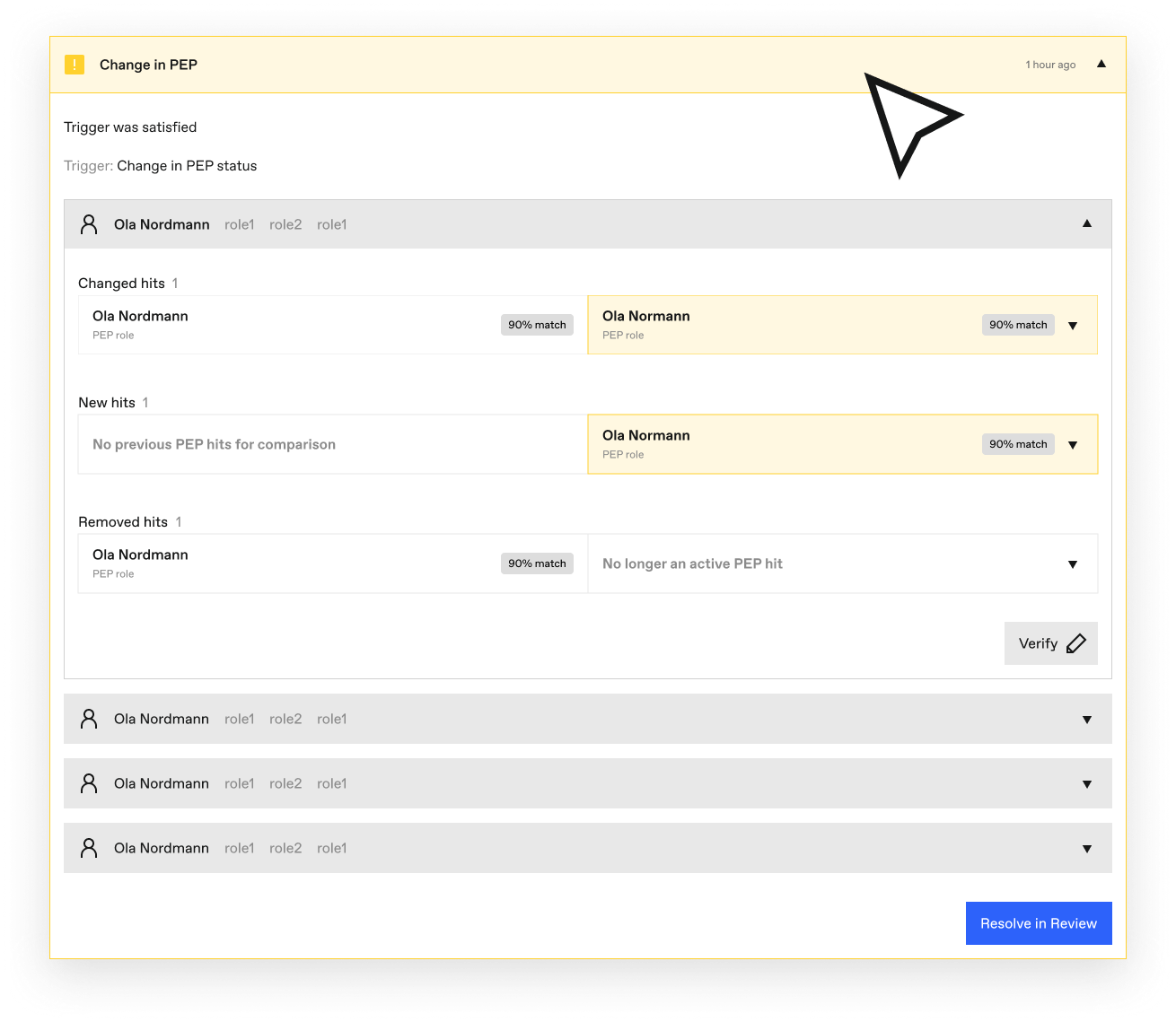
PEP and Sanctions alerts are organized into three categories:
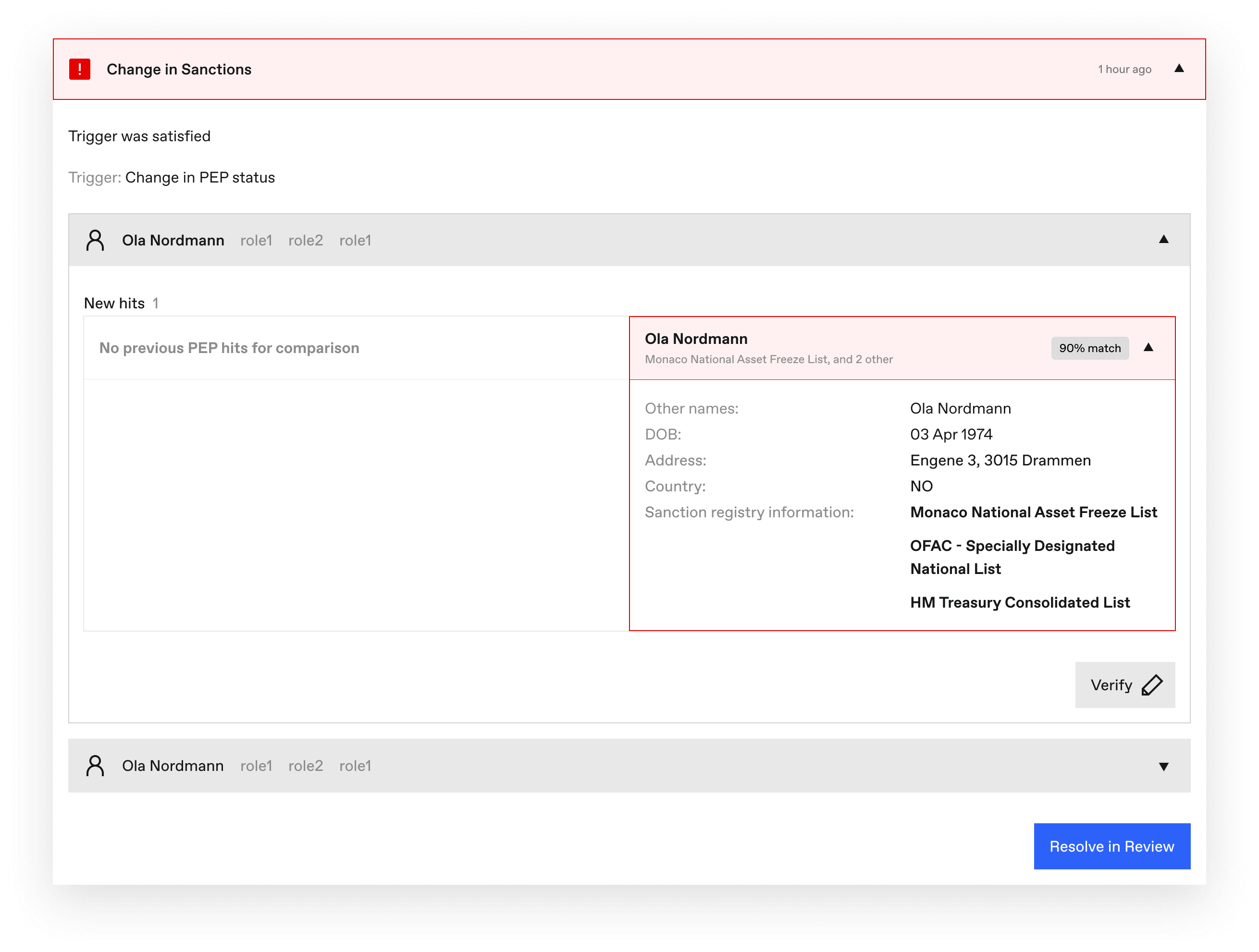
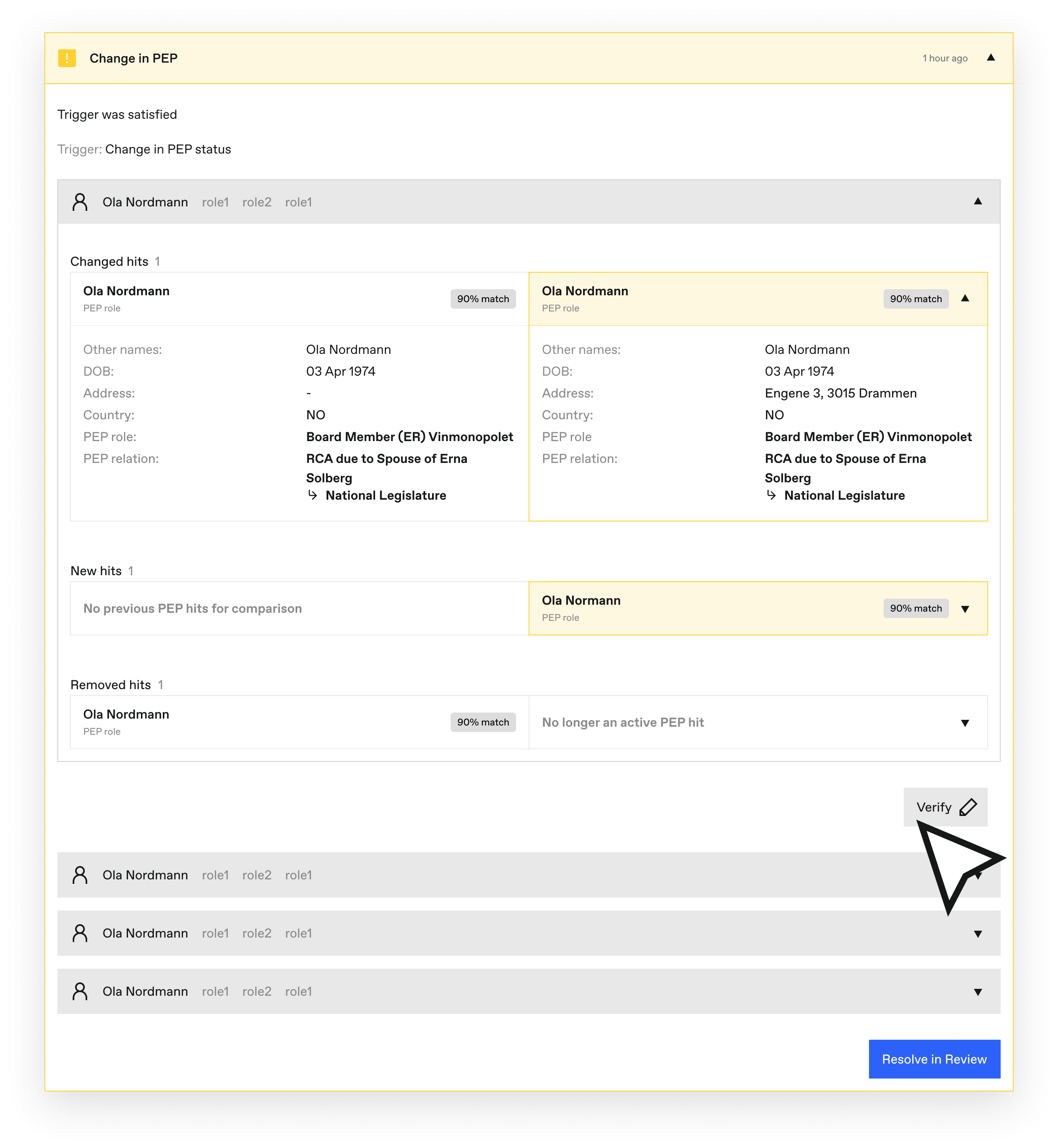
- New hits — A screening match that did not exist in the previous run.
- Changed hits — An existing match where the underlying data has been updated.
- Removed hits — A match that was present previously but is no longer found.
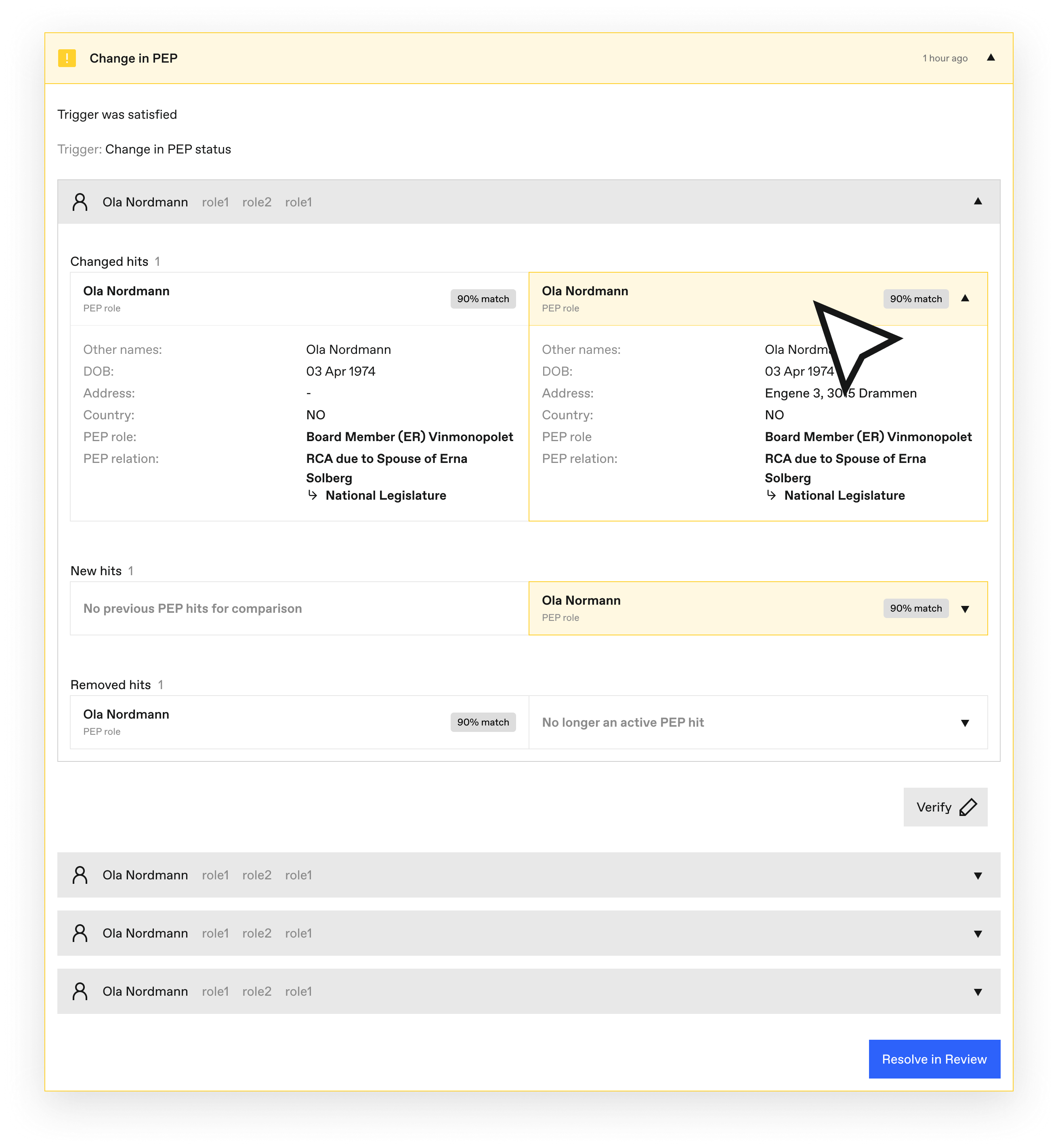
Each PEP hit shows the matched person’s name, aliases, date of birth, address, country, PEP role, and PEP relation:
Sanctions alerts show the matched sanctions list, the entity details, and any associated identifiers or addresses:
Relation Alerts
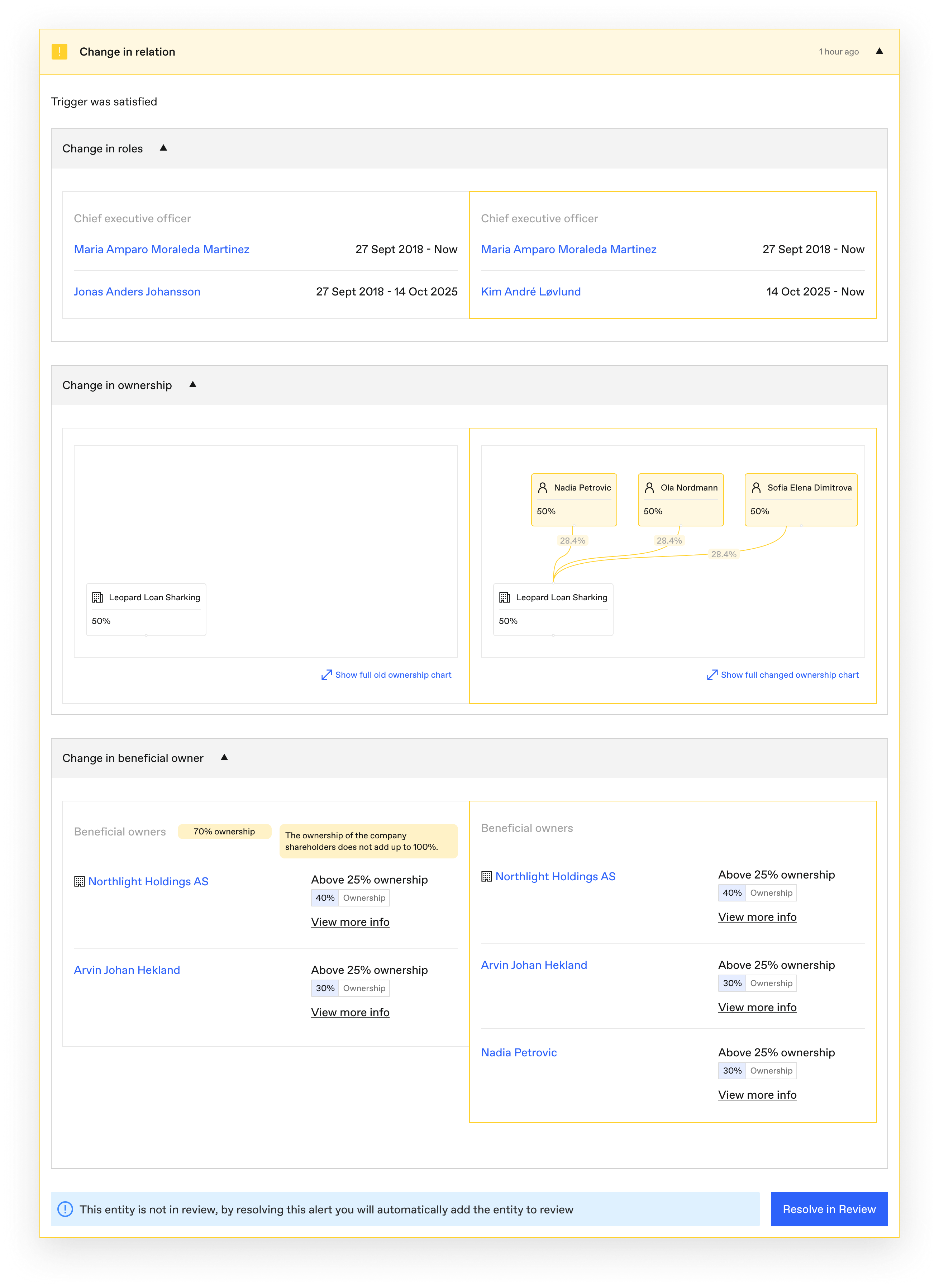
Relation alerts cover four types of changes, each independently configurable:
- Role changes — A person’s role in the company changed (new board member, resigned CEO, and so on).
- Owner changes — Who owns the company changed.
- Ownership changes — What the company owns (subsidiaries, holdings) changed.
- Beneficial owner changes — The ultimate beneficial ownership changed.
Company Information Alerts
Company Information alerts cover changes to registry data and risk-relevant company facts: name, legal form, identifiers, address, industry, employee count, business purpose, and company status — plus opt-in alerts for share capital, revenue, net income, auditor notes, lifecycle status (bankruptcy proceedings, compulsory liquidation, mergers, dissolution and similar, normalised across registries), and Norwegian court cases. This category is disabled by default; see the settings reference for every field and default.
Verifying Hits
When reviewing a PEP or sanctions alert, you can verify the hit directly from the alert card — confirming or dismissing the match without leaving the monitoring space. The decision is recorded in the audit trail.
Empty State
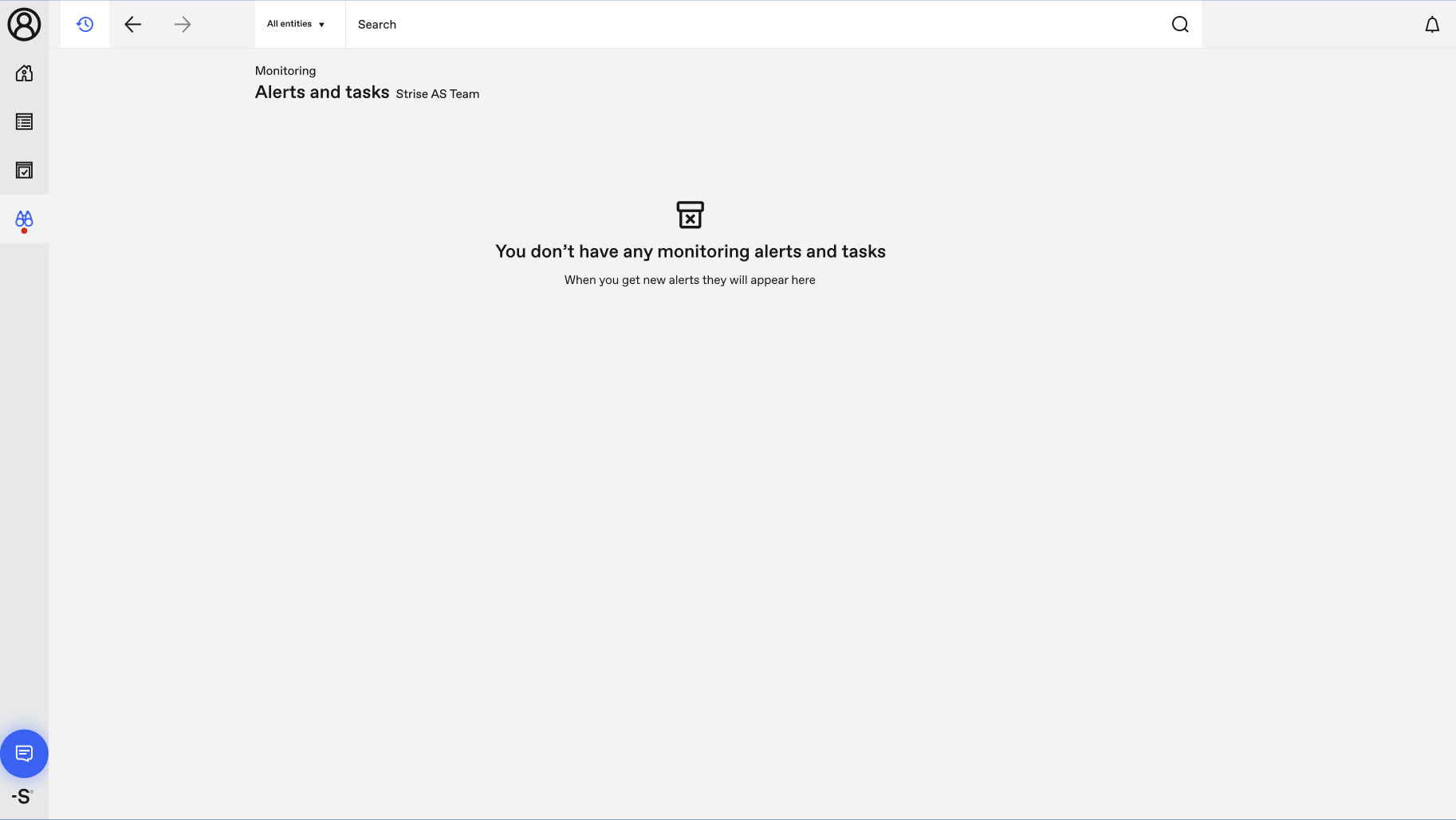
When there are no alerts to review, the monitoring space shows a clean empty state.
How Often Screening Runs
| Entity type | Cadence |
|---|---|
| Companies | Five nights per week — full portfolio runs twice weekly, incremental runs three nights |
| Private persons | Daily, with a full portfolio re-screen twice a month |
Each screening run follows the same steps:
- Check — The entity is screened against all configured data sources (PEP lists, sanctions lists, registries).
- Compare — The new results are compared against the previous run to detect changes.
- Group — Changes are grouped by entity and alert type to avoid duplicate notifications.
- Create alerts — Alerts are created for meaningful changes and surfaced in the monitoring space (and over the API).
Private Persons Monitoring
Private persons you select as monitored in the Private persons portfolio are screened daily against PEP and sanctions lists. Their alerts appear in the same monitoring space, under the Private persons tab, with the same alert categories. Monitoring is opt-in per person because private-person portfolios can be very large — monitor the ones whose risk warrants it.
Changing Screening Settings
Screening behavior is controlled by four types of settings:
- PEP settings — Which PEP sources and categories to screen against, matching thresholds, and retention.
- Sanctions settings — Which sanctions lists to include and how strictly to match.
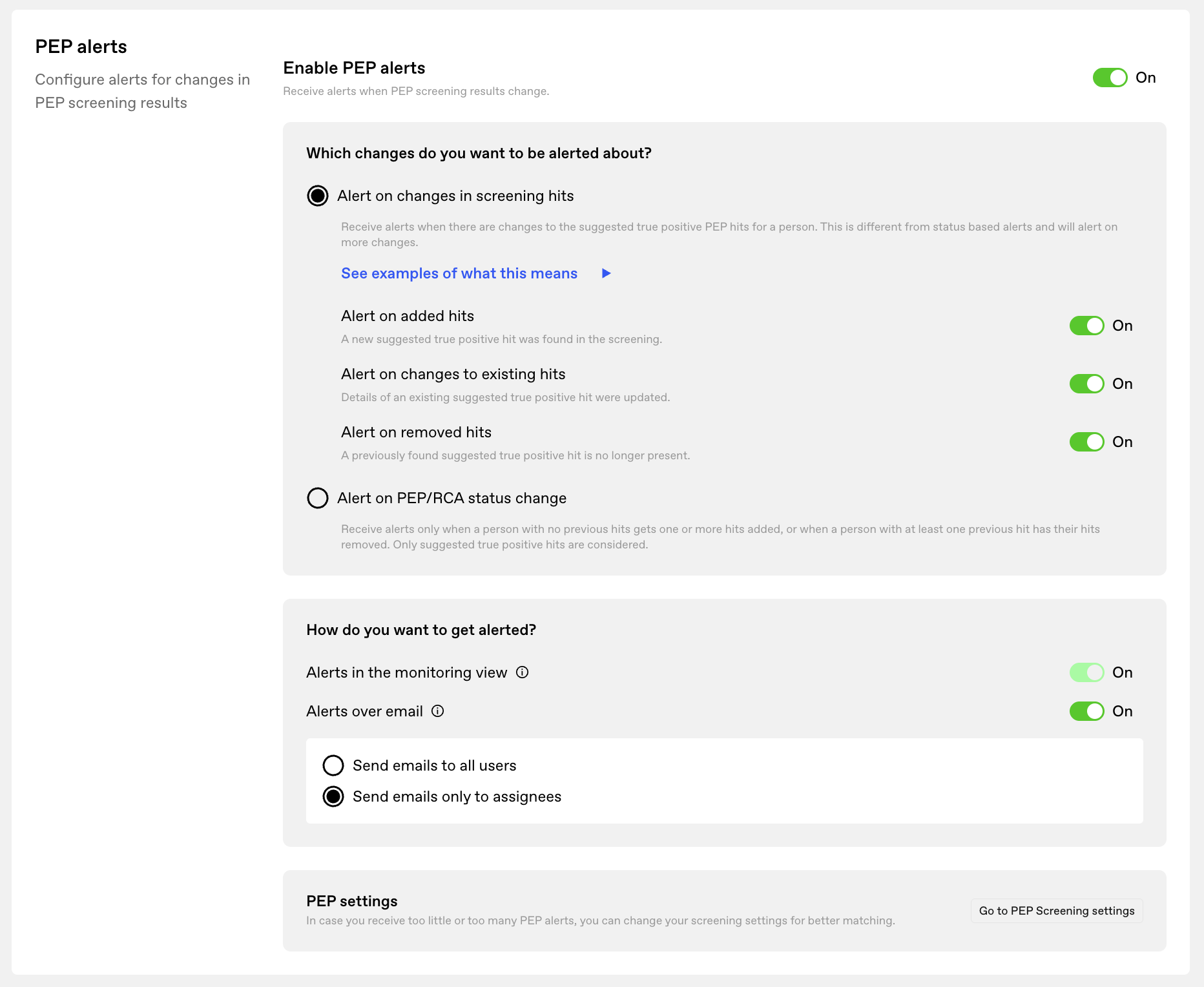
- Monitoring alerts settings — Which alert categories to generate and how they’re delivered.
- Calculated Risk settings — How risk is scored on top of the monitored data.
Important: Changing screening settings can generate new alerts. Lowering a match threshold or adding sanctions lists makes the next run alert on the difference. These alerts are explicitly marked as stemming from a settings change, so your team can distinguish them from genuine new information — and clear them with Resolve all once reviewed.
Changes in Data Sources
When a data source used by Strise is updated (a sanctions list is refreshed, a registry publishes new data), the system notifies affected teams through the monitoring space.
PEP and Sanctions Screening Algorithm
The screening algorithm (v3) uses fuzzy matching designed to balance accuracy with recall:
- Per-term matching — Each term in the entity name must reach at least a 75% similarity score against the corresponding term in the screening source, with stricter handling for short terms.
- Middle-name handling — Missing middle names are tolerated through subset logic; conflicting middle names are penalised to reduce false positives.
- One-directional overlap — The algorithm checks whether the entity name is a subset of the screening-source name (or vice versa), not both directions simultaneously.
For the full pipeline — preprocessing, search, filtering, scoring, and verification — see the screening algorithm reference in the Data section.
Monitoring Alerts Settings
Alert generation and delivery are configurable per team — every category, threshold, and email option is documented in the Monitoring Alerts Settings reference.
Connect API
Monitoring has full API parity: list alerts, fetch the change behind an alert, and resolve — with the same audit trail as in-app actions. See the dedicated guide: Monitoring Alerts over the API.
Old vs New Monitoring Comparison
| Feature | Old Monitoring | New Monitoring |
|---|---|---|
| Alert overview | Fragmented across multiple views | Unified monitoring space |
| Screening frequency | Varied by entity type | Companies five nights/week, private persons daily |
| Transparency | Limited visibility into why alerts were generated | Full context with match scores and data sources |
| Alert types | PEP and Sanctions only | PEP, Sanctions, Relations, and Company Information |
| Risk information | Static “flags” | Monitored data points and risk signals, also over the API |
| Private persons | Not supported | Fully supported with daily screening |
| Settings | Global settings only | Configurable per team |
| Name matching | Basic string matching | Fuzzy matching with per-term scoring (v3) |
| Review workflow | Separate review process | Disposition and resolve directly in the monitoring space |
| Team visibility | Individual user views | Shared team-wide alert list |
Release History
| Milestone | Shipped | Highlights |
|---|---|---|
| V1 | October 2025 | Core monitoring space, PEP/Sanctions alerts |
| V2 | February 2026 | Relation alerts, private persons, per-team settings, daily alerts |
| V3 | May 2026 | Company Information alerts incl. financials, lifecycle status and court cases; risk signals over API |
| GA | June 2026 | General availability; all teams migrated from old monitoring by July 2026 |