Adding a Company to Review
There are three ways to add a company to Review in Strise.
1. From Review
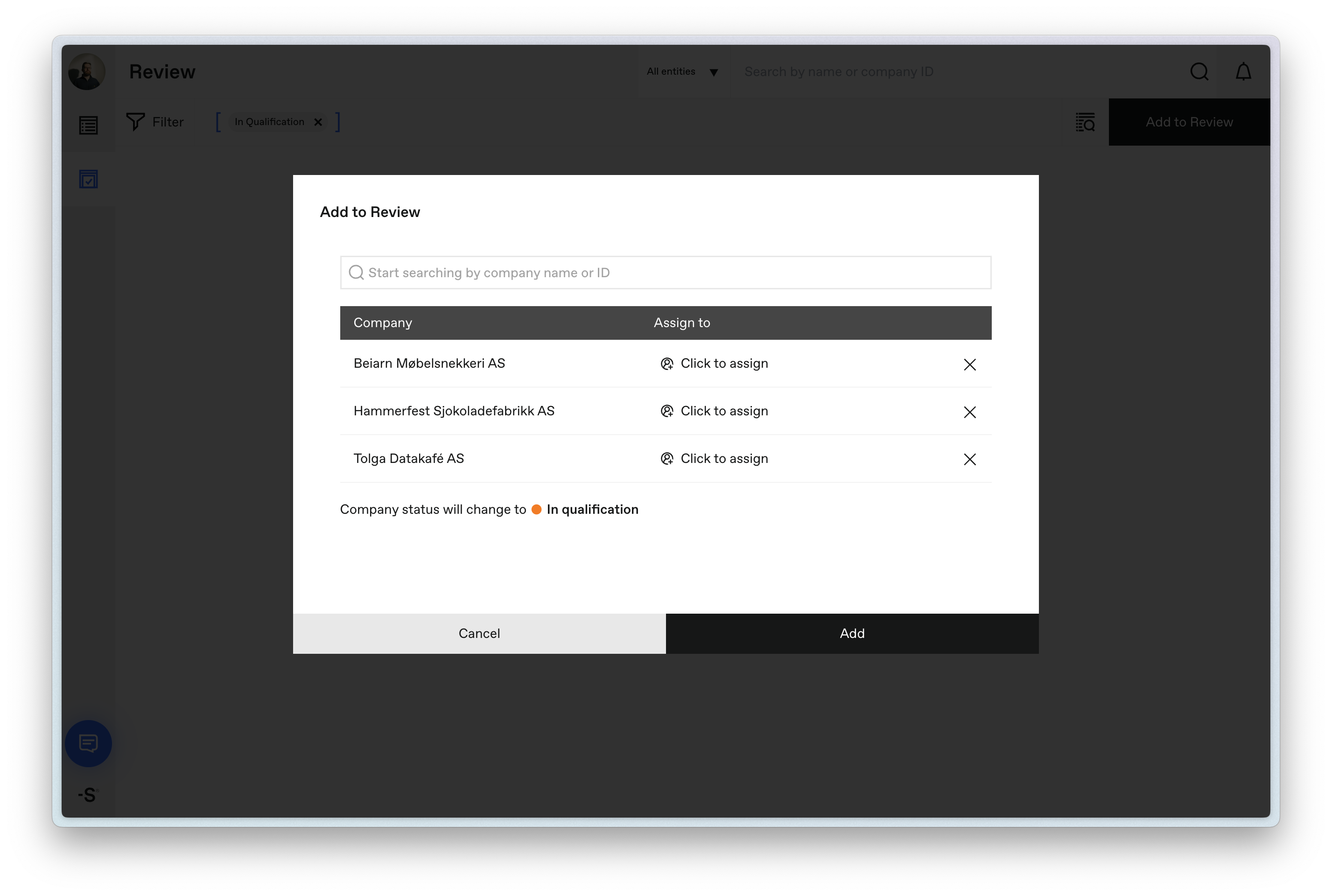
Click the Add to Review button in the Review view. Search for the company you want to add, then assign it to the appropriate reviewer.
2. From Search
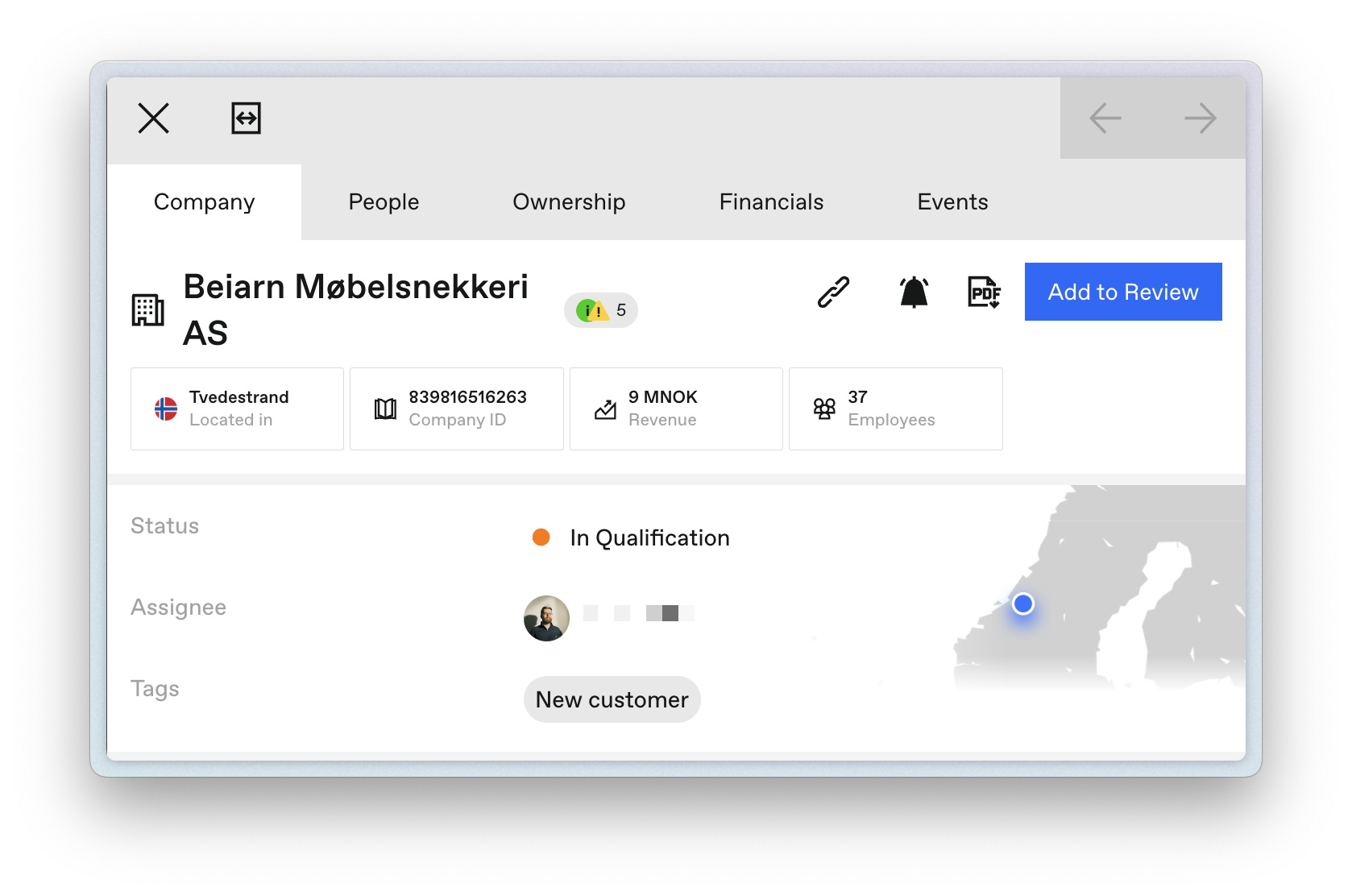
When you search for a company, the side panel includes a button to add it directly to Review.
3. From Portfolio
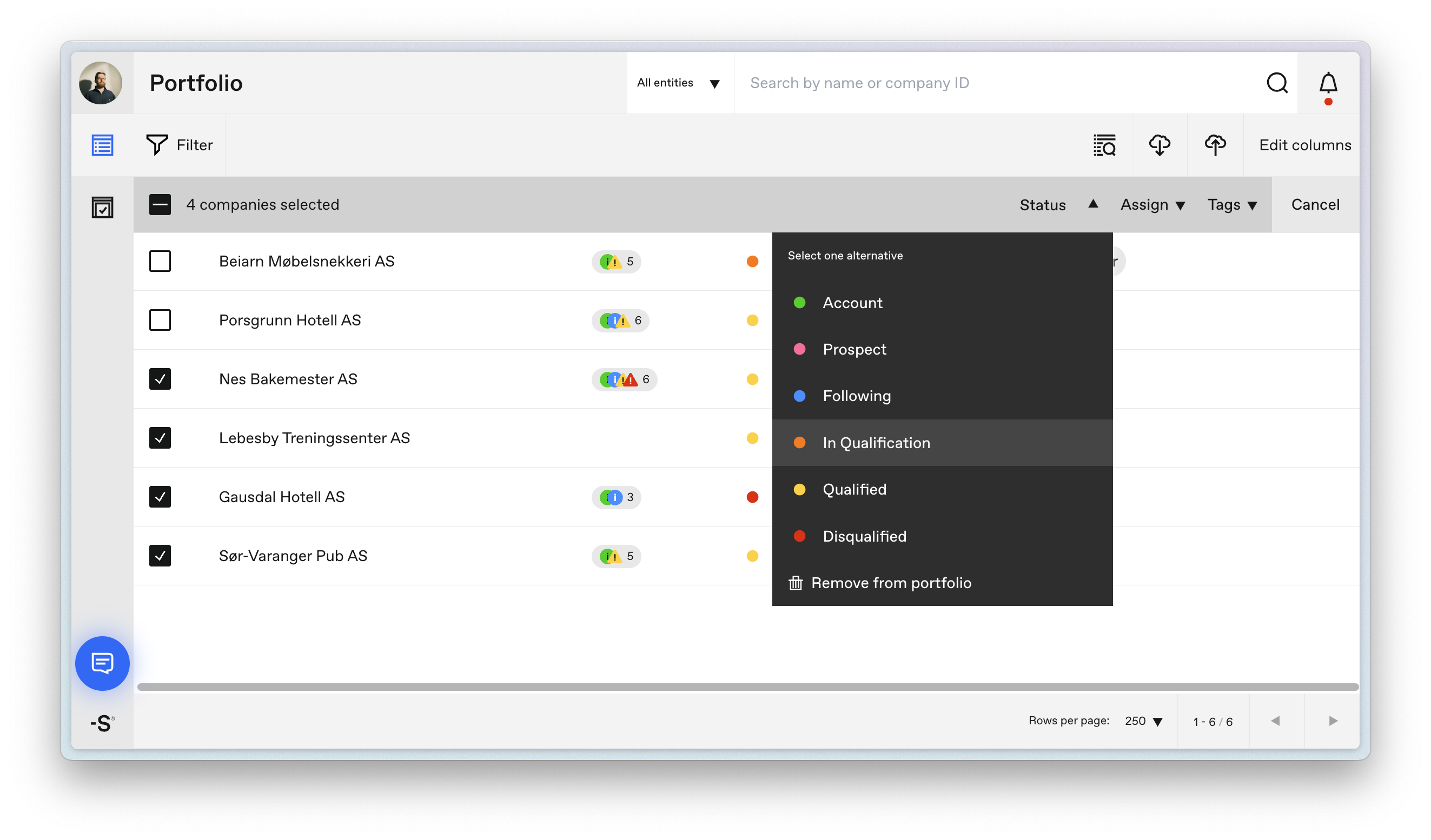
In the Portfolio view, select one or more companies and change their status to In qualification. This moves them into the Review workflow.
Last updated on